Secret Mobile Codes and Tricks
- 3.9
- Rating
- 10.00K
- Installs
- Free
- Price

 Analysis by App-foxy
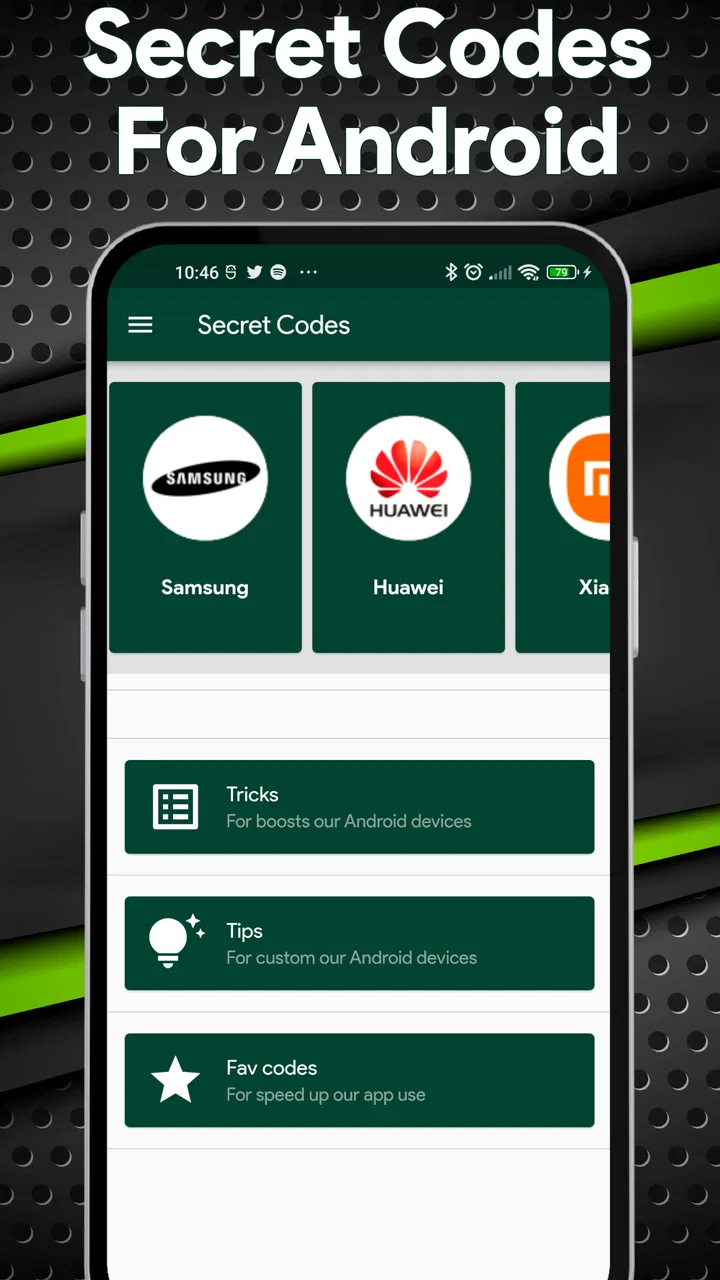
Secret Mobile Codes and Tricks is the kind of small utility I would keep around for those moments when I need to understand what my Android phone can reveal through its built-in dialer. It belongs to the Libraries & Demo category, but its practical appeal is closer to a reference tool: it gathers secret codes and presents them as something you can explore instead of forcing you to search scattered forum posts.
My first impression is that the app is aimed at curious Android users rather than complete beginners who want a full device-maintenance suite. The store summary invites you to take control of your device, while the short description reduces the idea to “Secret Codes.” That is a narrow promise, and it is also the reason I would judge this app mainly on clarity, accessibility, and how safely it helps me approach technical phone menus.
It is free, rated for Everyone, and developed by IApplication. The current release is version 1.0.1, with Android 7.0 as the minimum operating system. Those details make it approachable for people using older supported phones, although compatibility with the app itself does not mean every code will work on every handset. Manufacturer software, carrier restrictions, Android builds, and the phone’s radio hardware can all affect the result.
You May Also Like

 AccuWeather: Weather Radar
AccuWeather Review: A Quick, Clear Forecast for Everyday Decisions
For everyday plans, the best forecast is the one you can understand quickly. AccuWeather makes rain timing, radar, and local conditions easy to act on, with a few trade-offs.

 Hill Climb Racing
Why Hill Climb Racing Still Turns Crashes Into One More Run
A tiny car, a bumpy hill and one more upgrade: Hill Climb Racing keeps resurfacing because its simple chaos makes every near-miss feel personal.

 AliExpress - Shopping App
AliExpress Makes Global Shopping Feel Personal, but Shoppers Bear the Risk
AliExpress turns a global marketplace into a pocket-sized discovery engine. Its reach is useful, its shopping loop compelling, and its trade-offs easy to miss.

 Lords Mobile: Kingdom Wars
Lords Mobile Is a Kingdom-Building Routine, Not a Quick Match
A case-by-case verdict on the building, battles, device demands, and social commitments that make Lords Mobile rewarding for some players and exhausting for others.

 PDF Scanner app - TapScanner
TapScanner Makes Paperwork Easier to Capture, Check, and Share
TapScanner makes scanning with a phone feel less like a rescue operation and more like a dependable step in getting work done. Its capture tools are useful, though not flawless.

 Block Blast!
 Shows How Much a Puzzle Game Can Leave Out
A quiet grid game shows why puzzle players increasingly value instant clarity, repeatable skill and low-pressure play—and where the genre still needs to catch up.
More From Our News Desk
View All News


How it feels in everyday use
I find the app most useful when I already have a specific question about an Android phone, rather than when I’m simply browsing for something to tap. Before opening a code, I’d note the model and what I want to check; that small pause helps me judge the result against the phone’s normal behavior. It also makes the next question more important: how much confidence should I place in the reference itself?
Quick access matters more than raw power
The main value here is not processing speed in the way you would measure a game or a photo editor. A code reference app should open promptly, let me find a relevant entry without confusion, and help me understand what I am about to trigger. In that role, Secret Mobile Codes and Tricks feels conceptually well focused. It does not need to compete with a browser full of unrelated results, advertisements, or outdated comments.
I can imagine using it when checking a phone before buying it second-hand. Instead of remembering a diagnostic sequence or trusting a random search result, I would consult the app, identify a suitable code, and then decide whether the result is useful for the handset in front of me. That workflow is more convenient than keeping screenshots or notes, especially if I regularly help family members with Android devices.
There is an important distinction between quick access and instant answers. A code may open a hidden menu, but the menu itself can still be technical or poorly explained by the phone maker. The app can make discovery easier; it cannot turn every manufacturer-specific screen into a simple health report. I would therefore use it as a starting point, not as an automatic diagnosis.
What happens during heavier use
Heavy use for this app would usually mean browsing several entries in one session, switching between the reference and the dialer, or testing a phone while checking multiple device areas. That is a lighter workload than streaming media or running a demanding game. I would expect the application’s performance to depend more on how clearly the information is organized than on demanding graphics or background processing.
A realistic scenario is preparing a phone for resale. I might inspect available device information, check a few relevant menus, write down what I see, and then return to the normal settings screens. In that situation, the most useful habit is to move slowly: read the description first, open only the code that matches the intended check, and avoid experimenting with entries that could alter network or system behavior.
Another useful workflow is troubleshooting with a friend over the phone. I could use the app as a shared reference while the other person operates their handset. This is more practical than sending a long list of codes without context, but it also exposes one of the app’s limitations: the same code can behave differently across brands and carriers. I would always ask for the exact phone model before treating a result as meaningful.
Stability and the difference between the app and the phone
For a reference utility, stability has two layers. The first is whether the application remains usable while I browse it. The second is whether the code I choose produces a predictable result on the connected device. Those should not be confused. Even if the app opens and displays its material normally, the dialer may reject a code, show an empty response, or present a menu that looks different from the one described elsewhere.
This is where I prefer a cautious attitude. I would not interpret an unresponsive code as proof that the phone is faulty, and I would not assume a successful menu opening means every displayed value is accurate or actionable. Secret codes often expose engineering or testing areas, so the safest approach is observation first. If a screen includes reset, provisioning, network, or configuration actions, I would leave those alone unless I fully understood the consequence.
The app’s rating is 3.9 from around 190 ratings, with 9 written reviews. That gives me a modest signal that people have found it useful, but not enough evidence to treat it as universally dependable across all Android brands. I read that kind of rating as a reason to test gently and keep expectations realistic, especially on a work phone or a device whose mobile connection I cannot afford to disrupt.
Older phones and practical device limits
Because the minimum requirement is Android 7.0, the app is not restricted to only recent hardware. That is helpful if I am checking an older spare phone, a budget handset, or a device kept for travel. Still, operating-system support is only one part of the picture. Secret menus are controlled by the phone’s manufacturer and software build, so an older supported Android version may still offer a different set of responses than a newer phone from another brand.
I would also avoid assuming that a code works equally through every dialer. Some phones use a customized phone application, some carrier builds disable certain sequences, and some devices may react immediately when a complete code is entered. Before trying anything, I would make sure I am not in the middle of an emergency call, verify the digits carefully, and keep a normal settings route available in case the hidden screen is confusing.
Resource demands are likely to be modest for this type of tool because its central job is presenting reference material rather than rendering complex content. Even so, I would not install it solely because a phone is old and slow without considering storage and general system condition. On an aging device, the delay may come from the phone itself, the dialer, or the operating system rather than from this app.
Three smarter ways to use it
The first useful technique is to treat each code as a question, not a button. Before opening one, I would write down what I am trying to learn: device identity, network information, testing details, or another specific area. This prevents the common mistake of opening several hidden screens and then forgetting which result came from which action.
The second is to record the phone’s normal state before testing. If I am checking connectivity, I would note whether calls and mobile data already work, whether the signal is stable, and whether the SIM is recognized. That context makes the hidden menu more useful because I can compare its information with an ordinary real-world symptom instead of treating one technical screen as the final answer.
The third is to use the app as a compatibility filter rather than a promise of universal access. If a code does nothing, I would check the handset manual or manufacturer support information before trying alternatives. This approach saves time and reduces the temptation to enter unrelated sequences simply because they appear interesting. For me, that is the difference between responsible exploration and random tinkering.
Where it is better than the usual alternatives
The usual alternative is a web search. Searching can provide more background and model-specific discussion, but it also mixes old instructions, copied lists, comments from different regions, and pages that do not explain the risks clearly. A dedicated reference app is more convenient when I already know I want to browse codes on the phone itself.
Another alternative is relying on the Android Settings app. Settings is safer and more familiar for ordinary tasks such as checking storage, battery information, accounts, or software updates. I would choose Settings first for routine maintenance. Secret Mobile Codes and Tricks becomes more interesting when the information I need is not exposed through the regular interface or when I want a compact reference during device troubleshooting.
It is not a replacement for a full diagnostic application, manufacturer support tool, or repair technician. Those options may provide guided tests, clearer explanations, and model-specific interpretation. If I needed documented hardware results for a repair decision, I would prefer a specialized tool or official service channel. This app is strongest as a lightweight companion for discovery, not as a complete technical lab.
Who should use it, and who should skip it
I would recommend it to Android enthusiasts, second-hand phone buyers, repair-minded users, and anyone who occasionally helps relatives identify device information. It can also suit learners who want to understand the less visible parts of Android without maintaining a personal list of codes.
I would skip it if I only want a one-tap battery optimizer, a guided security check, or a simple explanation of everyday settings. I would also be careful recommending it to someone who is uncomfortable reading technical menus. The app may make hidden areas easier to reach, but easier access is not the same as easier interpretation.
Privacy-conscious users may reasonably ask whether installing a code reference is necessary at all. If a normal Settings screen answers the question, I would use that instead. The app earns its place when its reference format saves effort, not when it adds another layer to a task that Android already handles clearly.
My performance verdict
After weighing its purpose against its limits, I see Secret Mobile Codes and Tricks as a focused, low-pressure utility rather than an essential app for every Android owner. Its likely strength is convenience: keeping secret-code references close at hand and encouraging a more organized troubleshooting process. Its main weakness is that the phone, carrier, and manufacturer ultimately decide what each code does.
The installation base is over ten thousand, which suggests that the concept has reached a real group of users without making it look like a universal standard. Combined with the moderate average rating, I would approach it as a useful experiment with sensible boundaries. I would install it before a planned device check, use it carefully, and remove it if I found that my phone’s regular tools already covered everything I needed.
My practical recommendation is simple: use it for careful discovery, not blind experimentation. Keep normal settings and support information as your fallback, confirm the phone model, and avoid any hidden menu action whose effect is unclear. Used that way, the app can save searching time and make technical checks feel more manageable.
For a free app in the Libraries & Demo space, it has a clear audience and a sensible everyday role. I would not call it a complete diagnostic solution, but I would recommend giving it a try if you regularly inspect Android phones or enjoy learning what your device can do beneath the standard menus. Its value comes from having the right reference at the right moment, while its reliability depends on respecting the differences between devices.
FAQs for Secret Mobile Codes and Tricks
01What are Secret Mobile Codes and Tricks?
Secret Mobile Codes and Tricks is an app designed to unveil hidden features and shortcuts on your smartphone. These codes and tricks can enhance functionality, improve performance, and provide access to diagnostic tools. It's an excellent resource for users looking to maximize their device's potential beyond standard settings.
02Is the app safe to use on all devices?
Yes, the app is generally safe for use on most Android and iOS devices. However, it is crucial to follow the instructions carefully and ensure your device is compatible. Some codes may alter system settings, so proceed with caution and back up important data before experimenting.
03Does the app require root access or jailbreak to function?
No, Secret Mobile Codes and Tricks does not require root access or a jailbreak to function. The app provides codes that work within the standard operating framework of your device, maintaining warranty and security. Users can enjoy enhanced features without compromising their device’s integrity.
04Are there any potential risks of using these codes?
While the codes themselves are generally safe, improper use can lead to unintended changes in your device's settings. It’s important to understand each code’s function before use. Always follow the app’s guidelines and perform a backup to prevent any potential data loss or system issues.
05How often is the app updated with new codes?
The app is regularly updated to include the latest codes and tricks as they become available. This ensures users have access to the most current features and enhancements. Keep the app updated to benefit from the newest additions and improvements in mobile technology.
Pros
- Access hidden features quickly.
- Enhances device customization.
- Improves troubleshooting skills.
- Free to use with no ads.
- Compatible with most smartphones.
Cons
- Requires technical knowledge.
- Potential risk of misuse.
- Some codes may be outdated.
- Not all codes work on every device.
- No official support available.

Secret Mobile Codes and Tricks
Gallery